> ## Documentation Index
> Fetch the complete documentation index at: https://docs.ownid.com/llms.txt
> Use this file to discover all available pages before exploring further.
# Drupal
> OwnID’s Drupal plugin is a completely no-code way to add passwordless authentication to your Drupal website with a few clicks.
export const connector_name_0 = "Drupal"
By integrating Drupal with OwnID, you can implement the full set of OwnID features to simplify and streamline your user login experience.
## How it Works
OwnID supports integration with Drupal through our pre-built Connector.
 On Drupal, OwnID supports integration through our [Drupal Module for OwnID](https://www.drupal.org/project/ownid).
**Securing User's Personal Data**
OwnID does not store or process any user data. Users' public keys and device information are stored on your platform.
Private keys are kept exclusively on the user's device and are never transmitted elsewhere.
## Install the Drupal Module for OwnID
Download and install the OwnID module from the official [Drupal module page](https://www.drupal.org/project/ownid).
## Create the OwnID App
An OwnID App is what connects the existing identity provider used by your website with the OwnID widget you insert on the front end.
On Drupal, OwnID supports integration through our [Drupal Module for OwnID](https://www.drupal.org/project/ownid).
**Securing User's Personal Data**
OwnID does not store or process any user data. Users' public keys and device information are stored on your platform.
Private keys are kept exclusively on the user's device and are never transmitted elsewhere.
## Install the Drupal Module for OwnID
Download and install the OwnID module from the official [Drupal module page](https://www.drupal.org/project/ownid).
## Create the OwnID App
An OwnID App is what connects the existing identity provider used by your website with the OwnID widget you insert on the front end.
 OwnID widget
Each of your OwnID Apps acts as the central point of configuration for each of your integrations. These no-code Apps are created, hosted, and maintained entirely within the OwnID Console environment.
When you create an App, it's assigned a unique `appId` automatically. Use that `appId` in OwnID SDK interaction from your website’s front end.
#### To Create an OwnID App
1. Login to the [OwnID Console](https://console.ownid.com) (or create your account).
2. Click **+Create Application** from the Apps screen.
3. Enter a name for your application in the *App name* field.
4. From the *Choose your integration* panel, select the *{connector_name_0}* tile.
OwnID widget
Each of your OwnID Apps acts as the central point of configuration for each of your integrations. These no-code Apps are created, hosted, and maintained entirely within the OwnID Console environment.
When you create an App, it's assigned a unique `appId` automatically. Use that `appId` in OwnID SDK interaction from your website’s front end.
#### To Create an OwnID App
1. Login to the [OwnID Console](https://console.ownid.com) (or create your account).
2. Click **+Create Application** from the Apps screen.
3. Enter a name for your application in the *App name* field.
4. From the *Choose your integration* panel, select the *{connector_name_0}* tile. 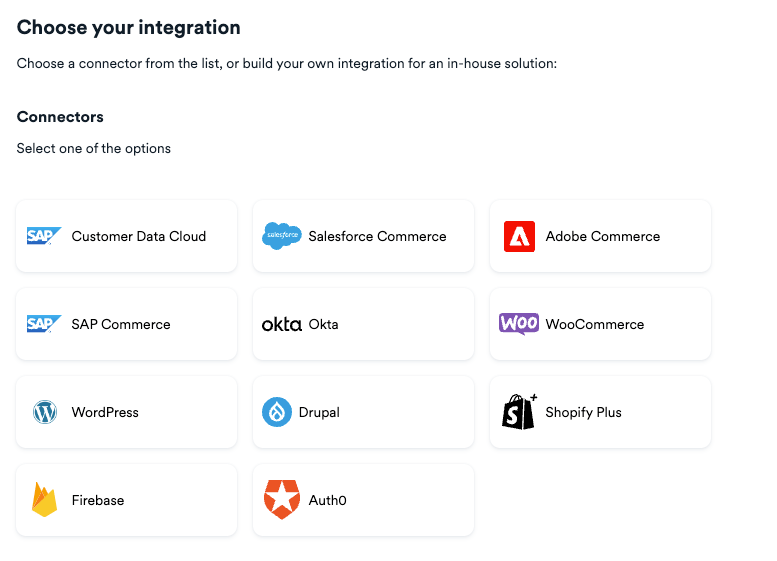 5. Click **Next**.
6. Enter the website URL to your *{connector_name_0}* application instance and click **Continue**.
7. Click **Explore my App** on the "Congratulations" popup.
5. Click **Next**.
6. Enter the website URL to your *{connector_name_0}* application instance and click **Continue**.
7. Click **Explore my App** on the "Congratulations" popup. 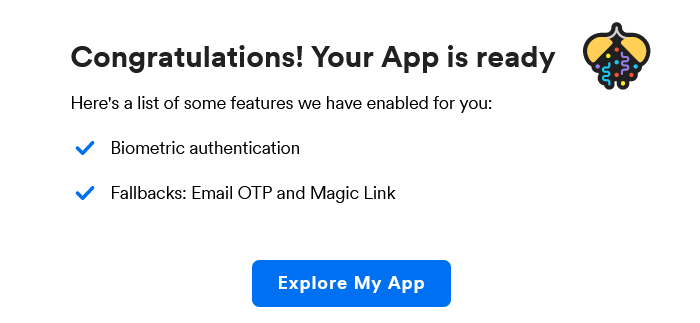 8. From the *OwnID Settings* panel, copy the *App ID* and the *Shared Secret* for use in configuration on the *{connector_name_0}* side.
  Your OwnID application and secret key are created and you're ready for next steps!
## Enter Integration Credentials
Copy the **appID** and **shared secret** from the OwnID app page into the settings of the Drupal for OwnID module.
**Congratulations!**\
Enjoy your Drupal-integrated passwordless authentication!
## Next Steps
### Ready to deploy?
Take me to the Deployment Checklist
Your OwnID application and secret key are created and you're ready for next steps!
## Enter Integration Credentials
Copy the **appID** and **shared secret** from the OwnID app page into the settings of the Drupal for OwnID module.
**Congratulations!**\
Enjoy your Drupal-integrated passwordless authentication!
## Next Steps
### Ready to deploy?
Take me to the Deployment Checklist